

An office move can create excitement about a new workspace, but it can also create significant business challenges. Missed deadlines, technology disruptions, employee confusion, and operational downtime can quickly affect customer satisfaction and revenue. That’s why successful companies rely on proven business relocation tips to maintain productivity throughout the moving process.
Whether you’re relocating a small office in Clearwater or moving a larger operation across Florida, the goal is not simply to move furniture and equipment. The goal is to keep your business functioning efficiently before, during, and after the transition.
This guide shares practical strategies that help businesses relocate while protecting productivity and minimizing disruptions.
Why Productivity Often Declines During Office Relocations
Many businesses focus heavily on logistics while overlooking daily operations.
Common productivity challenges include:
- Technology downtime
- Employee uncertainty
- Communication breakdowns
- Delayed workstation setup
- Vendor coordination issues
- Disorganized packing
Without proper planning, these issues can slow operations and frustrate both employees and customers.
The good news is that most productivity losses can be prevented.
Start Planning Earlier Than You Think
One of the most effective business relocation tips is to begin planning several months before moving day.
Businesses that start early have more time to:
- Coordinate departments
- Schedule vendors
- Prepare technology systems
- Communicate with employees
- Solve unexpected challenges
Most office relocations benefit from three to six months of planning.
Early preparation reduces stress and improves flexibility.
Create a Business Moving Strategy
A successful business moving strategy focuses on operational continuity rather than simply transporting assets.
Before packing begins, identify:
Critical Business Functions
Determine which services must remain active throughout the move.
Examples include:
- Customer support
- Sales operations
- Accounting services
- Technology infrastructure
Department Priorities
Some teams may require immediate access to systems and equipment after relocation.
Contingency Plans
Prepare backup solutions for potential disruptions.
Planning ahead helps businesses avoid costly surprises.
Way 2 Go Moving is here to help every step of the way.
Conduct a Complete Inventory Audit
Before relocating, evaluate everything that will move to the new location.
Review:
- Furniture
- Computers
- Servers
- Printers
- Phones
- Office supplies
- Archived records
Inventory audits often reveal outdated equipment and unnecessary assets that can be removed before relocation.
This reduces moving costs and improves organization.
Office Move Planning: Build a Department-by-Department Strategy
One common mistake businesses make is treating the office as a single unit.
In reality, each department has different needs.
Effective office move planning should include department-specific schedules.
Human Resources
HR should relocate early enough to support employee communication and onboarding.
Administrative Teams
Administrative staff can help coordinate vendors and relocation logistics.
Sales Departments
Sales teams should maintain access to customer information and communication tools.
Operations Teams
Operations personnel often require priority access to systems and equipment.
A phased departmental approach helps reduce disruptions and improves efficiency.
Reduce Downtime Moving With Technology Preparation
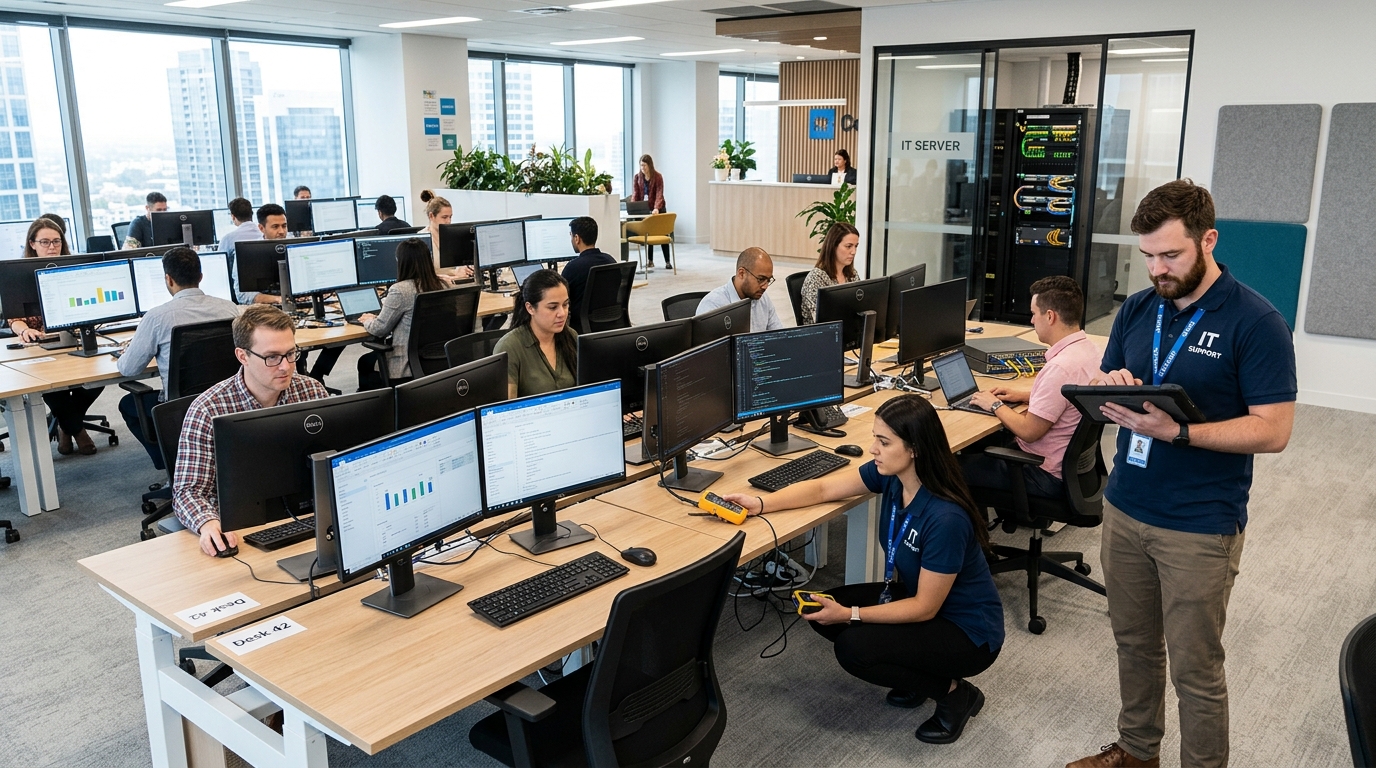
Technology issues are one of the biggest productivity risks during relocation.
Businesses seeking to reduce downtime moving should prioritize IT planning.
Back Up Critical Data
Protect all business information before relocation begins.
Document Technology Systems
Record equipment locations, network configurations, and access credentials.
Schedule Service Transfers Early
Arrange:
- Internet installation
- Phone activation
- Network setup
Well before moving day.
Test Systems Before Employees Arrive
Verify functionality before normal operations resume.
According to the U.S. Small Business Administration, operational disruptions can significantly affect business performance when organizations fail to prepare adequately.
Technology planning helps reduce these risks.
Develop a Remote Work Backup Plan
Even the most organized office move can encounter unexpected delays.
A temporary remote work strategy helps maintain productivity if access to the new office becomes limited.
Consider:
Cloud-Based Collaboration Tools
Employees can continue working regardless of location.
Remote Customer Support
Customer-facing teams can remain available during relocation.
Virtual Meetings
Business operations can continue while physical workspaces are finalized.
A remote work backup plan provides flexibility and protects continuity.
Communicate With Employees Frequently
Communication is one of the most overlooked business relocation tips.
Employees should understand:
- Relocation timelines
- New office location
- Parking arrangements
- Workspace assignments
- Technology expectations
Weekly updates can help employees prepare and reduce uncertainty.
Strong communication often leads to smoother transitions.
Real-World Example: How One Company Maintained Productivity
A Clearwater professional services firm needed to relocate while maintaining client support operations.
Rather than moving during business hours, the company scheduled the relocation over a weekend. Technology systems were installed before employee arrival, department managers assigned workstations in advance, and employees received detailed instructions weeks before moving day.
When employees arrived Monday morning, internet access, phone systems, and workstations were fully operational.
The company avoided major disruptions because it prioritized planning and communication.
Business Continuity Checklist
Every office move should include a business continuity plan.
Before moving day, verify:
Technology Readiness
- Data backups completed
- Internet installation confirmed
- Phone systems tested
Employee Readiness
- Workstation assignments finalized
- Responsibilities assigned
- Relocation updates distributed
Customer Readiness
- Address changes communicated
- Deliveries redirected
- Service providers notified
Business continuity planning helps maintain operations throughout the move.
Create a Moving Day Command Center
Moving day requires active oversight.
Assign a relocation leadership team responsible for:
- Inventory tracking
- Vendor communication
- Employee support
- Problem resolution
A centralized command structure helps businesses respond quickly to unexpected issues.
How to Measure Productivity During an Office Move
Many companies discuss productivity but never measure it.
Tracking performance helps identify problems before they become serious.
Monitor:
Customer Response Times
Measure whether service levels remain consistent.
Sales Activity
Review lead generation and sales performance.
Employee Attendance
Monitor workforce participation throughout the transition.
IT Support Requests
Track technology-related issues after relocation.
Project Completion Rates
Ensure key business projects remain on schedule.
These metrics provide valuable insight into relocation performance.
Relocation Success Scorecard
Moving day is not the final goal.
The real objective is restoring full productivity.
Week One
- Resolve technology issues
- Address employee concerns
- Verify workflow functionality
Week Two
- Monitor productivity levels
- Collect employee feedback
- Identify operational bottlenecks
Week Four
- Compare performance against pre-move benchmarks
- Evaluate customer satisfaction
- Review relocation outcomes
This scorecard helps businesses measure success and identify future improvements.
Temporary Storage Can Support Productivity
Not every relocation follows a perfect schedule.
Storage solutions can help businesses:
- Relocate in phases
- Store excess furniture
- Protect archived records
- Manage equipment transitions
Many Clearwater businesses use storage as part of a broader relocation strategy to increase flexibility and reduce operational pressure.
Common Productivity-Killing Relocation Mistakes
Businesses often encounter avoidable challenges.
Common mistakes include:
- Starting planning too late
- Ignoring technology preparation
- Poor employee communication
- Failing to assign responsibilities
- Moving every department simultaneously
- Neglecting contingency plans
Avoiding these mistakes significantly improves relocation outcomes.
Professional Moving Insight
Experienced commercial movers consistently observe the same pattern.
Businesses that focus on communication, technology readiness, phased relocations, remote work flexibility, and productivity tracking experience fewer disruptions than companies focused solely on transportation logistics.
Successful office moves prioritize operational continuity from start to finish.
Related Office Moving Resources
Businesses planning a relocation may also benefit from:
- Ultimate Office Moving Checklist (Zero Downtime Blueprint)
- Office Moving Costs in Clearwater (2026 Hidden Fees Guide)
- How to Safely Move IT Equipment & Servers
- Best Time to Relocate Your Office in Florida
- How to Prepare Employees for Office Relocation
- Warehouse Moving Guide (Logistics Secrets Most Companies Miss)
Together, these resources provide a complete office relocation knowledge center.
Office relocations do not have to reduce productivity or disrupt operations. With proper preparation, strong communication, a remote work contingency plan, and a structured business moving strategy, companies can relocate while maintaining performance and minimizing downtime.
If you’re planning an office move in Clearwater or surrounding areas, book a consultation with Way2Go Moving to discuss professional office moving, storage, packing, junk removal, and commercial relocation solutions tailored to your business needs.