

One poorly planned office move can disrupt weeks of work, delay projects, frustrate employees, and impact customer service.
That’s why every successful business relocation starts with a detailed office moving checklist. Whether you’re relocating a small office, a growing company, or a larger corporate workspace in Clearwater, the right planning process helps protect productivity while reducing stress and downtime.
Many businesses focus on moving furniture and equipment. However, the companies that experience the smoothest relocations prioritize business continuity, employee communication, and technology readiness long before moving day arrives.
This guide provides a proven framework for relocating your office while keeping operations running smoothly.
Why Productivity Drops During Office Relocations
Moving an office involves far more than transporting desks and computers.
Common productivity challenges include:
- Technology downtime
- Employee confusion
- Lost equipment
- Customer communication delays
- Workspace setup issues
- Interrupted workflows
According to the U.S. Small Business Administration, business interruptions can create significant operational and financial challenges when organizations fail to prepare adequately.
The solution is a structured relocation plan that focuses on continuity, not just logistics.
Office Moving Checklist: Begin Planning 8 Weeks Before Moving
A successful relocation begins several weeks before moving day.
This office moving checklist provides a timeline businesses can follow.
8 Weeks Before Moving
- Establish relocation goals
- Create a moving budget
- Select a commercial moving company
- Assign a move coordinator
- Inventory office assets
6 Weeks Before Moving
- Notify employees
- Develop department-specific plans
- Evaluate storage requirements
- Begin technology planning
4 Weeks Before Moving
- Pack non-essential items
- Notify vendors
- Confirm moving schedules
2 Weeks Before Moving
- Label equipment
- Transfer utilities
- Finalize office layouts
Final Week
- Back up data
- Pack essentials
- Confirm responsibilities
- Verify schedules
Businesses that start early typically experience fewer disruptions.
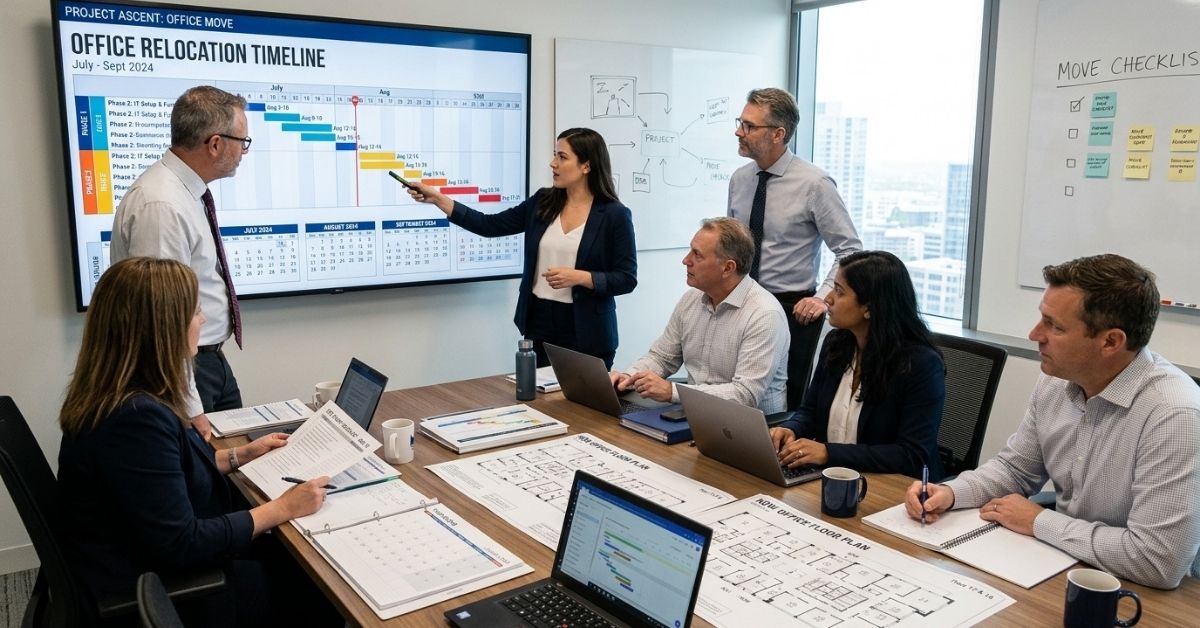
The 3-Phase Business Continuity Framework
The most successful office moves follow a structured continuity strategy.
Phase 1: Pre-Move Preparation
Focus on reducing future disruptions.
Tasks include:
- Backing up business data
- Notifying customers
- Assigning responsibilities
- Preparing technology plans
- Creating communication schedules
Phase 2: Moving-Day Execution
Maintain operational visibility throughout the move.
Priorities include:
- Tracking critical assets
- Coordinating departments
- Monitoring technology transport
- Managing employee responsibilities
Phase 3: Post-Move Recovery
Restore productivity as quickly as possible.
Focus on:
- Testing systems
- Verifying inventory
- Reconnecting teams
- Resuming workflows
This framework helps businesses maintain continuity before, during, and after relocation.
Department-by-Department Relocation Planning
Every department contributes differently to a successful move.
Management Team
- Approve budgets
- Coordinate timelines
- Oversee communication
Sales Team
- Notify clients
- Update contact information
- Maintain customer relationships
Customer Service Team
- Prepare customer communications
- Update support channels
- Verify phone systems
IT Department
- Back up data
- Coordinate equipment transfers
- Restore network systems
Operations Team
- Organize inventory
- Manage equipment
- Coordinate vendors
Department-specific planning reduces confusion and improves accountability.
Corporate Moving Checklist for Technology Protection
Technology often represents the most valuable part of an office relocation.
A strong corporate moving checklist should include:
Back Up All Data
Protect business information before disconnecting equipment.
Label Every Device
Identify computers, monitors, cables, phones, and accessories.
Document Workstation Configurations
Photograph connections before disassembly.
Schedule IT Support
Ensure technical assistance is available before and after relocation.
Test Equipment Immediately
Verify systems once they are installed.
Technology planning can significantly reduce downtime.
Clearwater Commercial Relocation Challenges
Businesses relocating within Clearwater often encounter unique logistical challenges.
Downtown Parking Restrictions
Commercial moving trucks may face limited access in certain areas.
Elevator Scheduling Requirements
Many office buildings require advance reservations.
Property Management Approvals
Some commercial properties have strict moving procedures.
Building Access Windows
Businesses may need to schedule moves during designated timeframes.
Professional movers familiar with Clearwater commercial properties can help avoid unnecessary delays.

Office Relocation Checklist for Employee Productivity
Employees play a major role in relocation success.
An effective office relocation checklist should include:
Communicate Early
Provide updates throughout the moving process.
Share Floor Plans
Help employees understand the new office layout.
Assign Responsibilities
Clearly define individual tasks.
Prepare Workstations
Ensure employees can resume work quickly after arrival.
Address Questions
Reduce uncertainty by providing clear answers and expectations.
Well-informed employees adapt more efficiently to change.
Real-World Clearwater Office Relocation Example
Consider a Clearwater marketing agency relocating to a larger office space.
Management initially focused on moving furniture and technology.
However, they soon recognized that productivity depended on employee readiness and communication.
The company created:
- Department-specific relocation plans
- Technology migration schedules
- Employee communication timelines
- Detailed workstation labeling systems
As a result, the business resumed normal operations quickly after relocation.
This example demonstrates why planning continuity is just as important as planning transportation.
Common Office Relocation Mistakes That Hurt Productivity
Many businesses make avoidable mistakes during relocation.
Delaying Planning
Last-minute decisions often create confusion.
Ignoring Technology Preparation
Technology problems frequently cause the longest disruptions.
Poor Communication
Unclear expectations reduce productivity.
Inadequate Labeling
Missing labels slow workstation setup.
No Recovery Plan
Businesses that fail to plan post-move activities often experience extended downtime.
Avoiding these mistakes improves relocation outcomes.
First Week After the Move Checklist
The relocation isn’t complete when the truck leaves.
During the first week, verify:
- Internet and phone systems working
- Employee workstations functioning
- Equipment inventory completed
- Customer communications updated
- Vendor information verified
- Meeting rooms operational
- Security systems tested
- Team workflows restored
This recovery checklist helps businesses return to full productivity faster. Way 2 Go Moving is here to help every step of the way.
How Professional Movers Help Reduce Downtime
Experienced commercial movers help businesses maintain continuity by:
Creating Detailed Moving Plans
Every stage follows a structured process.
Coordinating Logistics
Teams manage schedules, transportation, and setup requirements.
Protecting Technology
Sensitive equipment receives specialized handling.
Supporting Business Continuity
Moves can often occur during evenings or weekends to minimize operational disruption.
Professional movers focus on keeping businesses productive throughout the relocation process.
Professional Office Moving Insight
One lesson experienced commercial movers consistently observe is this:
Businesses that focus only on transportation often underestimate the importance of communication, technology preparation, and recovery planning.
The most successful office relocations prioritize productivity before, during, and after moving day.
Relocation success isn’t measured by how quickly you move. It’s measured by how quickly your business returns to normal operations.
Related Commercial Moving Resources
Businesses planning a relocation may also find these resources helpful:
- Office Moving Costs Explained
- Commercial Moving Cost Planning Guide
- Moving IT Equipment Safely During Relocation
- Commercial Packing Tips for Business Moves
- Reducing Office Downtime During Relocation
- Office Relocation Checklist for Businesses
Together, these resources create a complete commercial moving knowledge base.
A detailed office moving checklist helps businesses reduce downtime, protect productivity, and create a smoother relocation experience. By planning early, preparing employees, protecting technology, and following a structured continuity framework, companies can relocate successfully without sacrificing performance.
Whether you’re moving a small office or a large corporate workspace in Clearwater, preparation remains the most effective way to protect operations and minimize disruption.
If you’re planning an office relocation, book a consultation with Way2Go Moving to discuss professional commercial moving, packing, storage, junk removal, and business relocation solutions tailored to your needs.